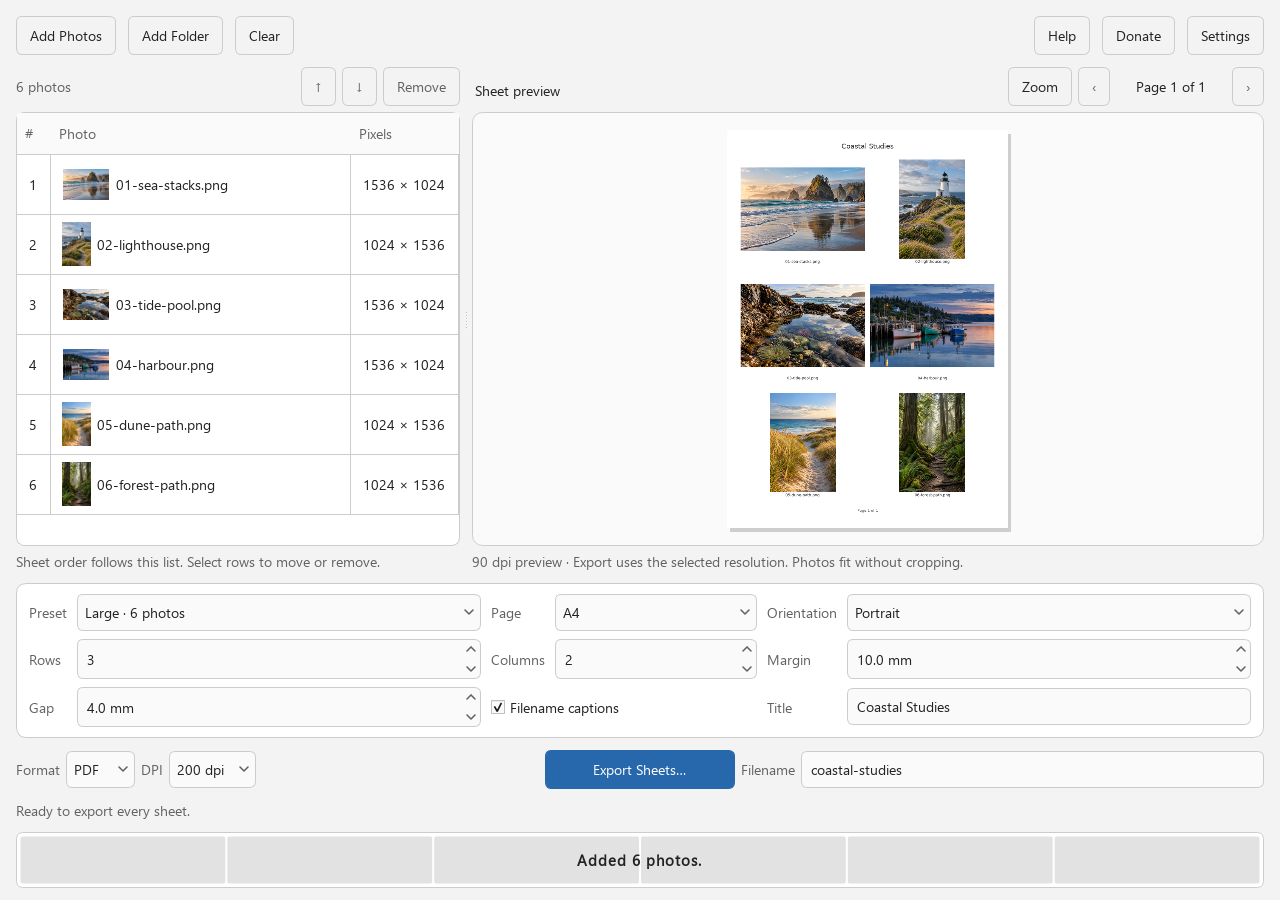
Actual source-build interface with six AI-generated coastal demo photographs. Select the image to see it at full size.
From folder to finished sheet
Less arranging. More seeing.
Useful for reviewing a shoot, cataloguing artwork, comparing images, or giving someone a printed reference.
Add your photos.
Choose JPEG or PNG files, add a folder, or drag them into the app. Folder imports use natural filename order. Move or remove items before export.
Make the page yours.
Start with a preset, then adjust rows, columns, margins, and spacing. Add filenames or a title. Check every page in the preview.
Export, then share or print.
Save a multipage PDF or numbered JPEG sheets. Open the exported file in your usual viewer to print. Your source photos are never changed.
See what comes out
A real sheet. Before you download.
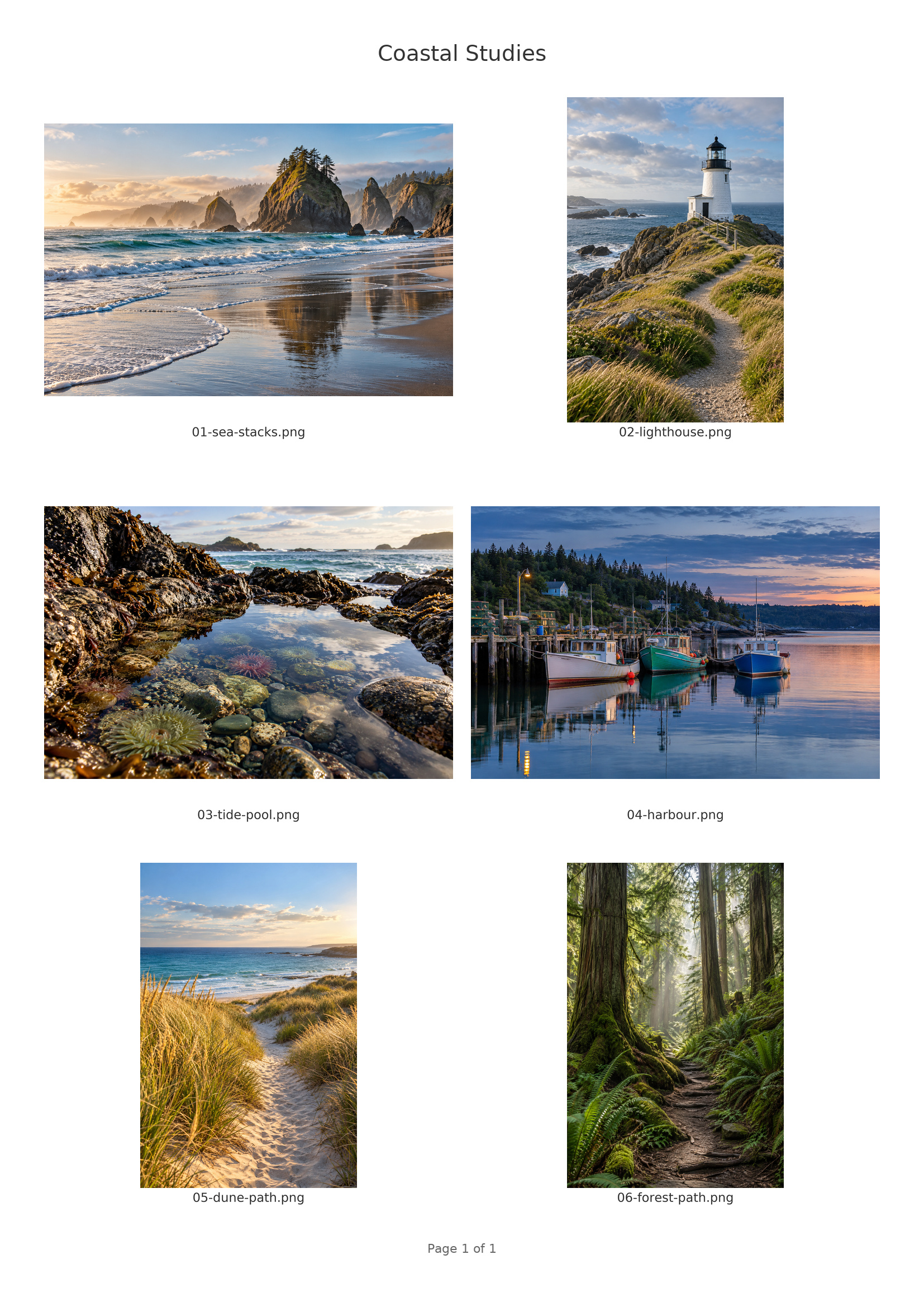
This example was exported by Contact Sheet Maker using six original AI-generated coastal demo photographs. It has one A4 page, filename captions, and a title.
Images fit inside their cells without cropping, including a mix of portrait and landscape pictures.
Download the AppImage and allow it to run as a program. Python and Qt are bundled; a graphical desktop and compatible system libraries are still required.
Linux desktop environments vary. Test evidence for this release is listed below; wider compatibility is not yet established.
Release checks
Automated release and packaged workflow checks passed for this exact Linux x64 AppImage.
Interactive VirtualBox Linux desktop acceptance has not been recorded for this package.
Wider hardware, display and assistive-technology coverage remains unverified.
Linux setup notes
Both the AppImage and portable tar.gz use libraries supplied by your Linux distribution. Before first use, read README-LINUX.txt and install the packages listed by the install command in LINUX-SYSTEM-DEPENDENCIES.json, included in the package. The list comes from this build’s actual system libraries.
To read these files inside an AppImage, extract it with ./Contact-Sheet-Maker-x86_64.AppImage --appimage-extract. Look in squashfs-root/usr/lib/contact-sheet-maker/. If FUSE is unavailable, run with APPIMAGE_EXTRACT_AND_RUN=1 ./Contact-Sheet-Maker-x86_64.AppImage.
For the portable tar.gz, extract it and run Contact-Sheet-Maker/Contact-Sheet-Maker. Keep the _internal folder beside the executable. The same desktop-library requirements apply.
No. Import, preview and export happen locally. There is no app telemetry, automatic upload, cloud account, or online image processing. The app remembers ordinary preferences and recent folder paths on your computer. Read the privacy details.
Is every feature really free?
Yes. There are no paid features, watermarks, ads, or subscription requirements. Supporting the studio is optional. See how to help.
Will it change my original photos?
No. Moving or removing a photo in the list changes the sheet, not the source file. Exports are written to the folder you choose. Existing output files require a choice before they are replaced.
Can I use it without installing Python?
Yes. Python is bundled in the Windows portable ZIP, Linux AppImage and Linux portable tar.gz. Linux still needs a graphical desktop and compatible system libraries; read the Linux setup notes in the download section. That section also lists availability and test evidence for this exact release.
What has been tested?
The download cards list the exact release’s verified environments. Automated checks exercise import, preview, export, and preservation of original files. Human usability, screen-reader, and wider hardware testing are still growing. Report unexpected behaviour through the issue tracker.