Square Photo Padder

Keep the whole photo.
Make room for square.

Add a background around your photos instead of cropping them. Preview the result, then save consistent square JPEGs.

Stable · 1.2.2Free · Windows & Linux · x64
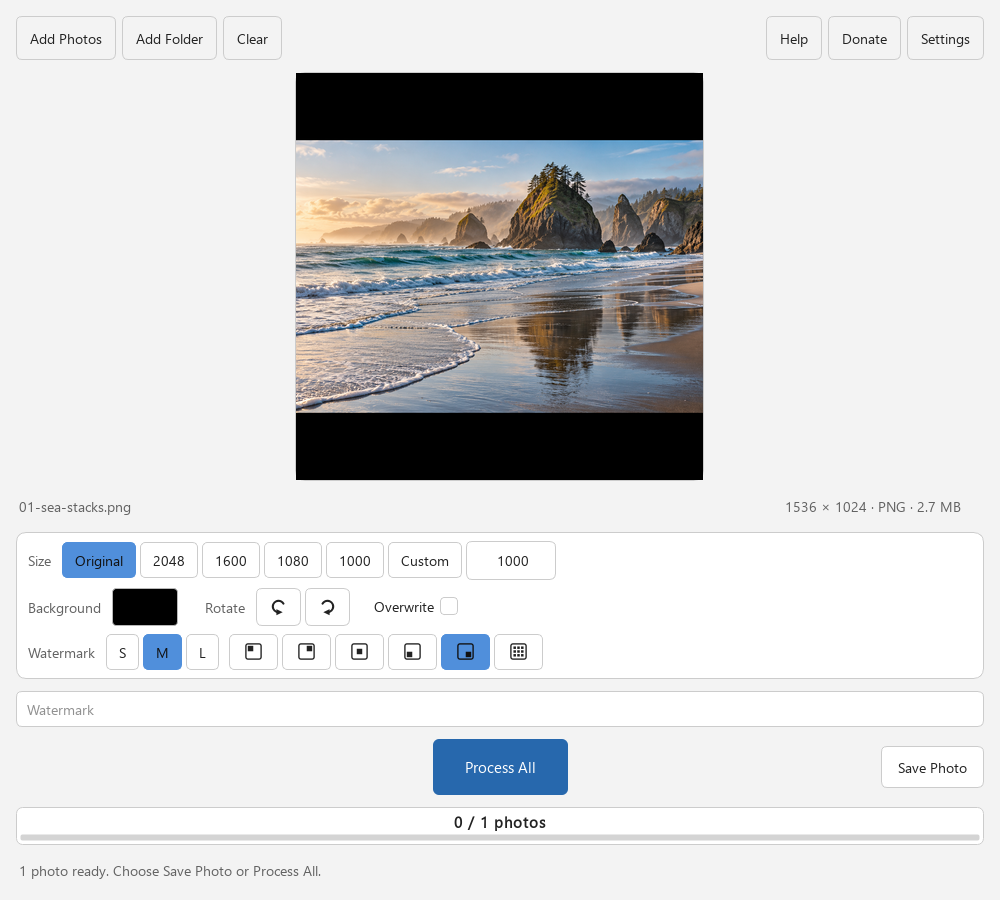
Square Photo Padder previewing a coastal photograph on a square canvas with black padding above and below, with the black background selected and Overwrite off.
Actual source-build interface with an AI-generated coastal demo photo. The black bands are the app’s padding; the full image is preserved.

One job, made clearer

The whole image, in a square.

Use a consistent canvas when a square image is what you need. Keep a tall or wide subject intact, choose the surrounding color, and save a batch of JPEG copies.

Check the destination’s image requirements. Square formatting, added borders, and watermarks are not suitable for every marketplace.

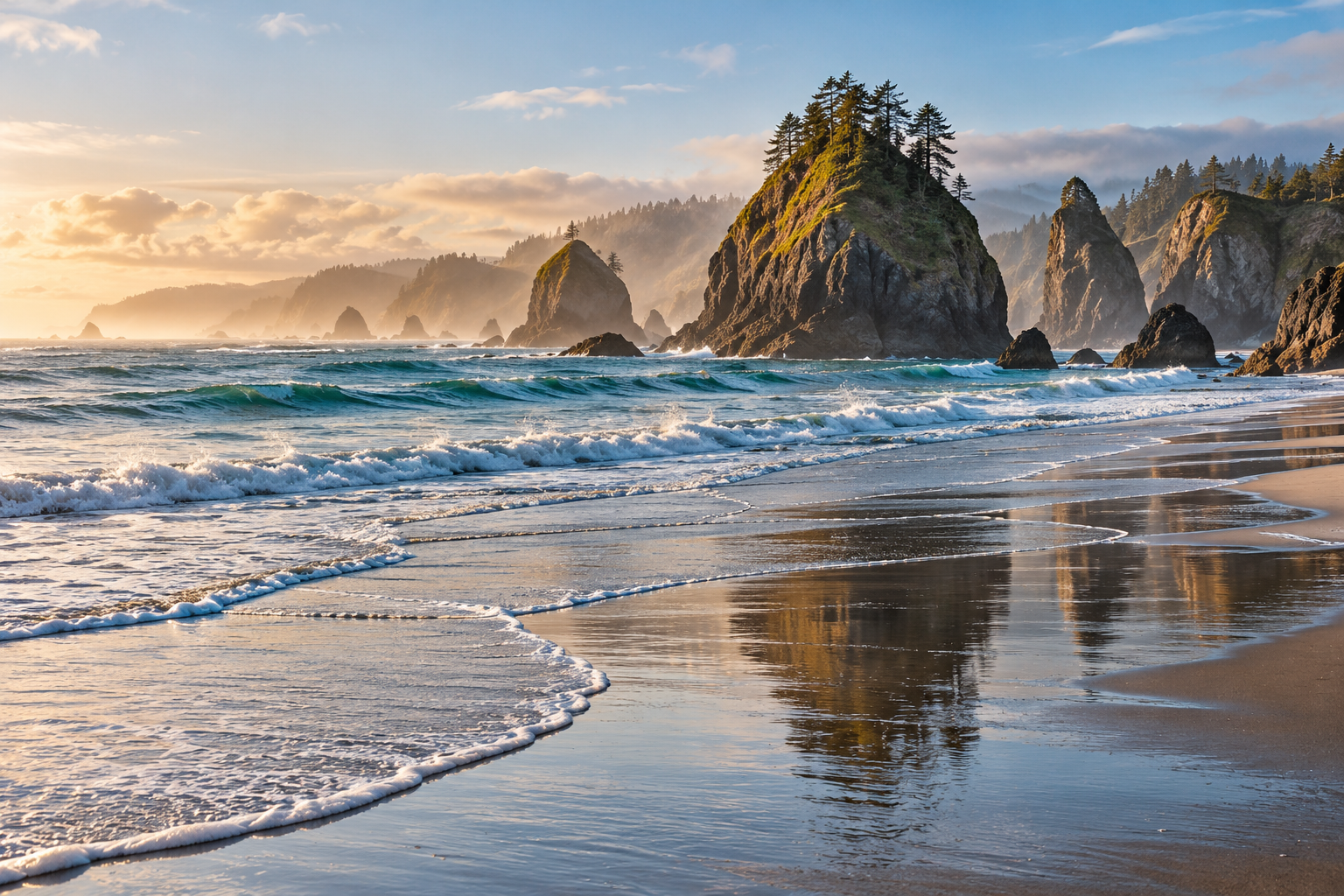
Original wide coastal demo photograph, without padding.Original · 1536 × 1024
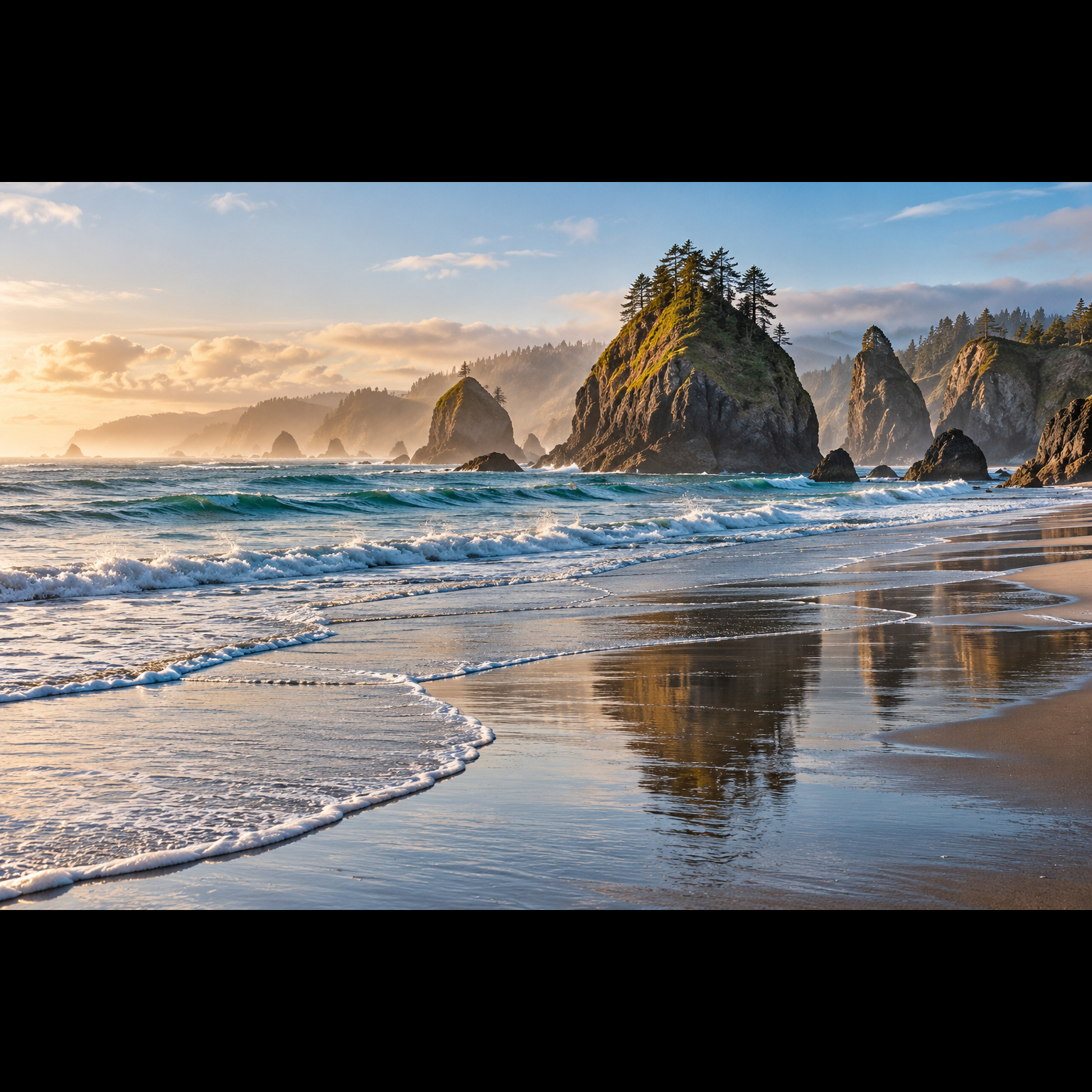
The same complete coastal photograph exported by Square Photo Padder with black padding above and below.Square · 1536 × 1536
AI-generated demo photo → actual app export. Black padding makes it square without cropping.

A clear path to the result

Fit the photo. Not the other way round.

Make square photos without cropping or enlarging the image. Choose a background, adjust size and rotation, and save a batch of JPEG copies.

  1. Bring in your photos.

    Add photos or drag files and folders into the app. Browse the batch and check the preview before saving.

  2. Make the square yours.

    Choose a size and background color. Rotate individual photos or add your own optional text watermark. Images are not cropped or upscaled.

  3. Save a square copy.

    Process the batch, or save one photo at a time. By default, numbered JPEG copies are saved beside the originals. Leave Overwrite off to keep source .jpg files.

The practical details

What it does.

Input
JPG/JPEG, PNG, and WebP images
Output
Square JPEG files saved next to the source images
Sizing
Original, preset, or custom square dimensions; no image upscaling
Background
Black by default, or a chosen custom color
Adjustments
Per-photo quarter-turn rotation and optional text watermark
Processing
Local previews and batch saves; no image upload
Color & metadata
Valid color profiles converted to sRGB; output EXIF, GPS and author metadata omitted

Know before you start

Keep the limits in view.

  • Output is lossy JPEG, not a lossless master or PNG/WebP. Transparency is flattened against the selected background. Animated PNG and WebP use only the first frame.
  • Overwrite can replace source .jpg files. Source .jpeg and other formats produce a JPEG copy. Keep Overwrite off for numbered copies, and back up important photos first.
  • Source images are limited to 80 million pixels and 32,768 pixels per side. Output squares are limited to 8,192 pixels per side.
  • A conservative 1.5 GiB memory estimate limits processing; watermarking uses more memory. This is a safeguard, not a guarantee that enough RAM is available.
  • Invalid embedded color profiles produce a per-file error. Avoid editing the same photo in another program while saving: change detection does not lock out external writers.
  • Cancel stops between files, after the current safe save finishes. Already-saved outputs remain.
  • Linux destination filesystems must support atomic no-replace renames. Unsupported mounted, removable or network filesystems can refuse a save rather than overwrite another file.
  • No macOS package is provided.

Get Square Photo Padder

A small tool.
Ready when you are.

Every feature is free. Donations are optional and do not unlock features. Choose a package for your computer and read its setup notes.

Stable 1.2.2. Unsigned x64 packages. Python is bundled. Linux is available as an AppImage or a portable tar.gz. No macOS package is provided.

Windows

Portable ZIP · x64

  1. Download the ZIP and compare its SHA-256 below.
  2. Extract the entire ZIP, then open Square-Photo-Padder.exe. Keep _internal and the other bundled files beside it.
  3. No Python installation or administrator rights are needed. Test a small backed-up sample first.

This package is unsigned. Windows may show a SmartScreen warning. Do not bypass a warning for an unexpected download, mismatched checksum or source you do not trust.

Release checks
  • Automated release and packaged workflow checks passed for this exact Windows x64 ZIP.
  • Interactive Windows desktop acceptance has not been recorded for this package.
  • Wider hardware, display and assistive-technology coverage remains unverified.
Download for Windows

SHA-256
091ef59bbe1dcaa0e76eb7831d954ff486975971212a81b678baa864be1b0996

Linux

AppImage · x64

  1. Download the AppImage and compare its SHA-256 below.
  2. Make Square-Photo-Padder-x86_64.AppImage executable in your file manager, then open it. Python is bundled.
  3. Without FUSE, use APPIMAGE_EXTRACT_AND_RUN=1 ./Square-Photo-Padder-x86_64.AppImage, or use the portable tar.gz on the release page. Read README-LINUX.txt and LINUX-SYSTEM-DEPENDENCIES.json in the package for desktop-library prerequisites.

A graphical desktop and compatible system libraries are required. Built for Ubuntu 22.04; wider distribution compatibility is not established. Destination filesystems must support atomic no-replace renames.

Release checks
  • Automated release and packaged workflow checks passed for this exact Linux x64 AppImage.
  • Interactive VirtualBox Linux desktop acceptance has not been recorded for this package.
  • Wider hardware, display and assistive-technology coverage remains unverified.
Download for Linux

SHA-256
ec8786458e4ce30bab56da6c022b9cc411ce0ac138c5d56325d267919772d6b0

Release notes & checksums   ·   Source code

How to check a download

A SHA-256 checksum helps confirm that your downloaded file matches the published release. It is not a code signature or a guarantee of safety. Compare the complete value before running the app.

In Windows PowerShell, run Get-FileHash -Algorithm SHA256 "path-to-downloaded-file". On Linux, use sha256sum "path-to-downloaded-file". Replace the quoted text with the actual file path.

A few useful answers

Before your first run.

What happens to my files and settings?

Square Photo Padder imports, previews and processes images locally. It does not upload your photos or require a cloud account.

The app remembers ordinary interface preferences on your computer. Square JPEG outputs are saved beside the source files and omit EXIF, GPS and author metadata. Numbered copies are the default; enabling Overwrite can replace source .jpg files.

A watermark, filename, screenshot or report may contain personal information. Review what you share. The optional Donate button opens the studio’s external Ko-fi page.

Removing embedded metadata does not remove personal information visible in a photo or its filename. Check outputs before sharing them.

Read the studio privacy details.

Is every feature free?

Yes. There is no paid feature tier or required donation. Supporting the studio is optional.

How do I report a problem?

Use the Square Photo Padder issue tracker. Include the app version, operating system, steps, and a small synthetic example. Public issues are visible to anyone: remove personal filenames, folder paths and other private details.